
A phone that falls into water does not always die on the spot. It often dies the next day, when you plug it in to see if it still charges. The first hour decides what follows.
Two devices can carry the same IP rating and behave differently. Age, drops and previous repairs change the real seal. The rating describes a lab test, not a promise for daily life.
What IP68 really guarantees
IP68 means the enclosure resists dust and prolonged immersion under conditions defined by IEC 60529. Apple tests the iPhone 16 at six metres for thirty minutes. Samsung tests several Galaxy phones at one and a half metres for thirty minutes, in still fresh water.
Those tests do not cover sea water, pool water, soap or a power shower. Salt, chlorine and surfactants attack the seals. And water resistance is not permanent: it weakens with wear, drops and repairs.
Apple states that liquid damage is not covered by warranty. IP68 is therefore not insurance. It is a safety margin for a brief accident, not permission to swim with the phone.
The first three minutes
Take the device out without shaking it. Power it off if it is still on. Unplug any cable and remove the case. Wipe it with a soft, lint-free cloth.
Turn it charging port down and tap it gently against your palm to release drops. Do not shake hard: water can reach areas it had not touched. Do not press buttons to test it.
Do not charge it. Even if the screen lights up, the connector may still be wet. Current turns water into corrosion, and corrosion is often permanent.
Dry it without cooking it
Put the phone in a dry, well-ventilated place at room temperature. A fan aimed at the port can speed evaporation. Allow twenty-four to forty-eight hours after full immersion.
Apple asks you to wait at least five hours before reconnecting a wet iPhone. That delay concerns the connector, not the inside. For a device that was in water for seconds, one night is often enough. After a fall into the sea, two days is safer.
Do not use a hair dryer, an oven or a freezer. Heat warps seals and pushes moisture toward components. Cold creates condensation when the phone returns to room temperature.
Why rice does not work
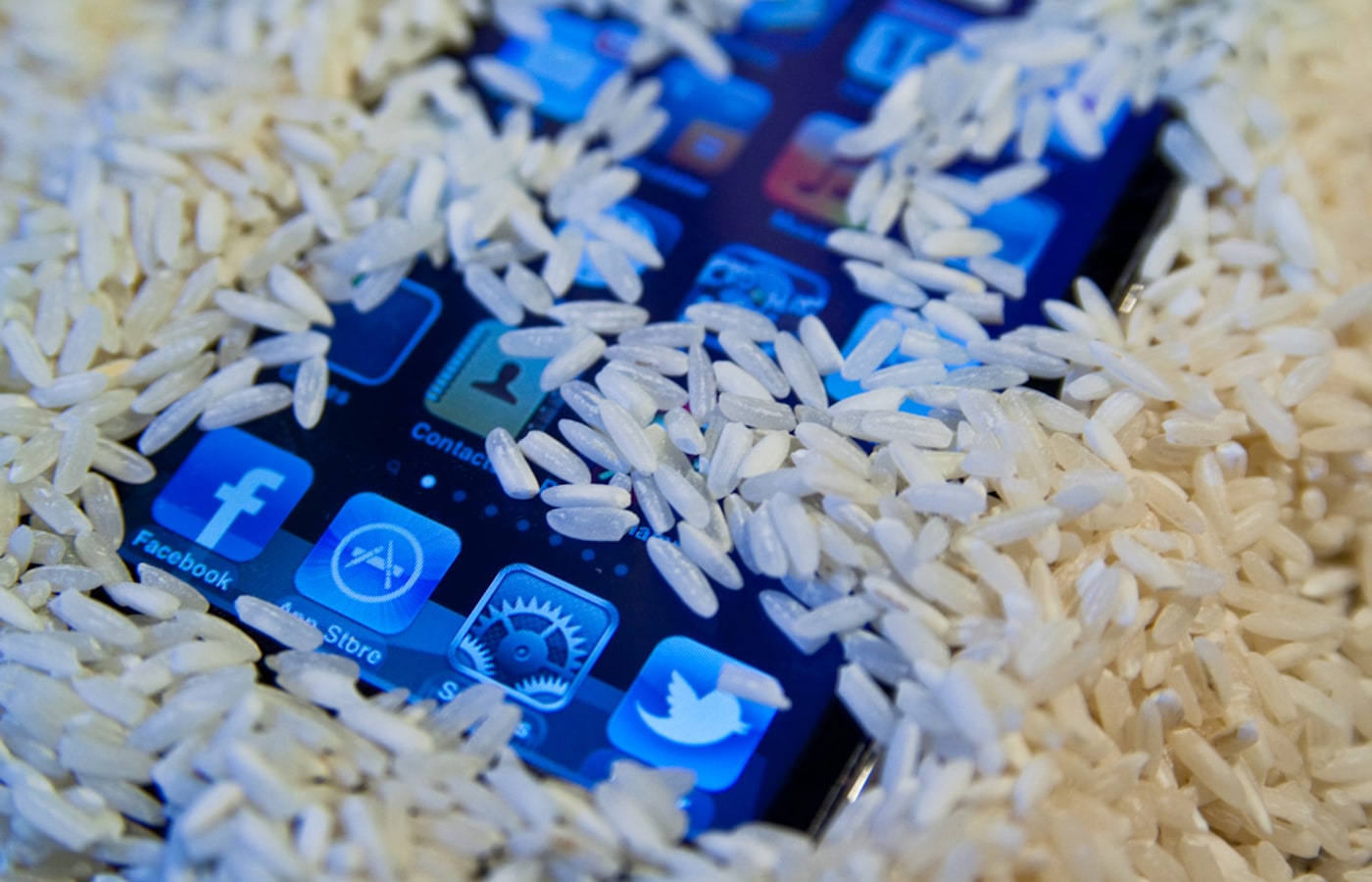
Rice is a stubborn myth. Apple says it plainly: do not put your iPhone in a bag of rice. Grains can break, enter the port and add particles to a water problem.
Rice does not pull moisture through the chassis. It only absorbs the air around the device, very slowly. A cloth and a fan do better, with no risk.
Silica gel packs are less harmful, but they do not replace a ventilated space. They also do not remove water that already got inside.
Fresh water, sea, pool, drinks
Fresh water is the least aggressive. Sea water leaves salt crystals that keep attacking contacts. Pool water contains chlorine. Soda and coffee add sugar and acids.
In all these cases, do not power the device on. A repairer can rinse the board with a suitable product and remove corrosion. A home rinse under the tap usually adds moisture.
If the phone was submerged in salt water, tell the technician. The treatment is not the same as for a little rain.
Signs that require a repairer
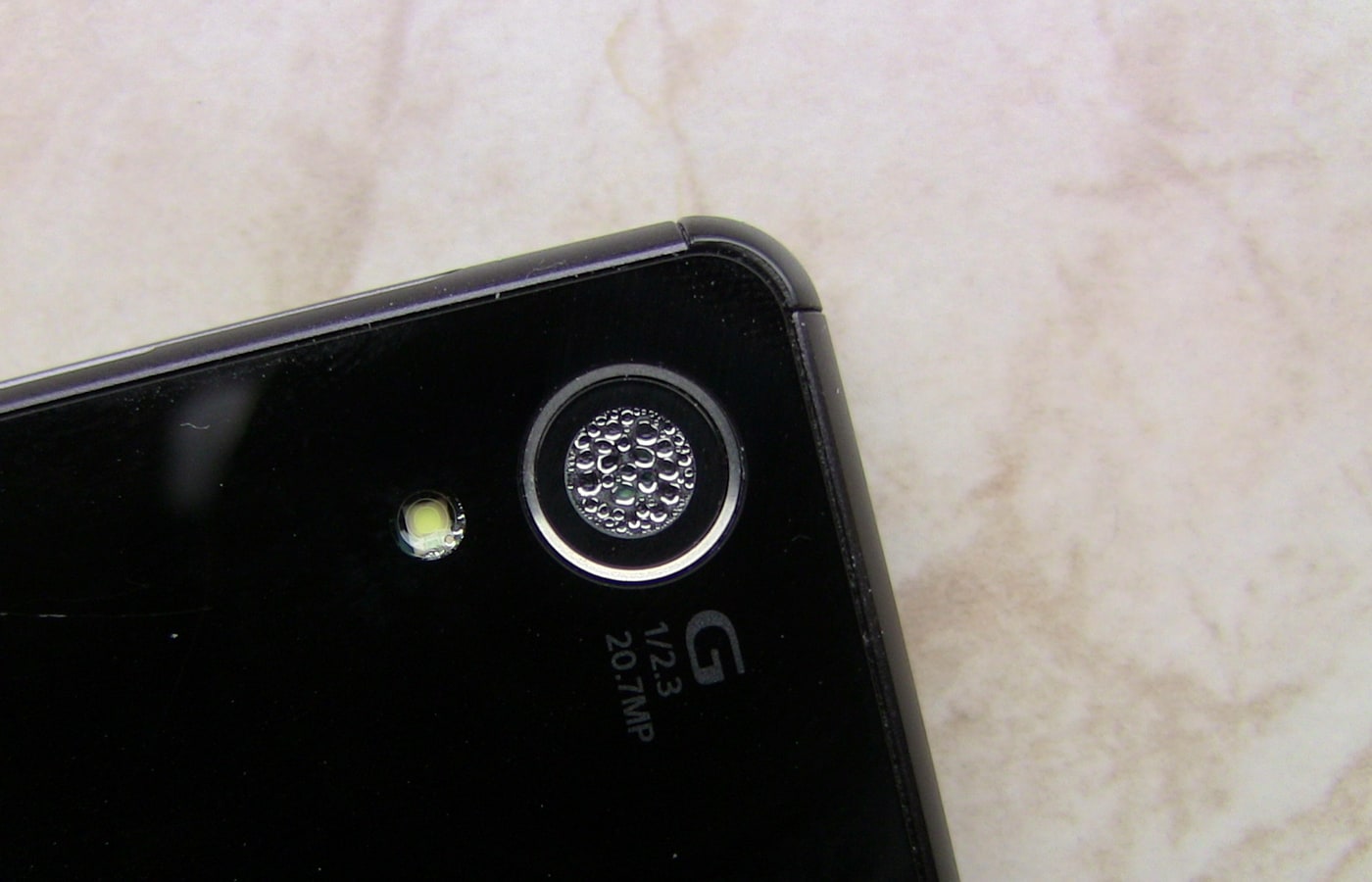
A fogged lens, a muffled speaker, a port that refuses to charge, Face ID failing to recognise your face, random reboots or a green patch on the screen all point to residual moisture.
Corrosion can appear weeks after the accident. A phone that works on day one may fail on day three. If the device matters to you, have it opened and dried by a professional, even if it seems fine.

What not to do
Do not charge it. Do not put it in the freezer. Do not put it in an oven or a microwave. Do not push a cotton bud into the port: fibres stay behind and block contacts.
Do not blow hard into the port. Do not shake the device. Do not try to take it apart without the tools: you can tear a ribbon cable and turn a repair into a replacement.
Apps that play a sound to "push water out" only treat the speaker. They do not dry the inside and may make it vibrate for nothing.
Saving the data
If the screen lights up and touch works, copy photos and messages immediately. Connect it to a computer with a cable, or back it up to the cloud. Do not start a system update in that state.
If it no longer turns on, do not keep trying. A repairer can sometimes recover the memory by connecting to it directly, especially if the board is not corroded. The longer you wait with a charged battery, the further corrosion goes.
What about warranty?
Apple explicitly excludes liquid damage from its warranty, even on an IP68 iPhone. Other manufacturers usually apply the same rule. Check the seller's contract and applicable law: a warranty exclusion does not remove all your rights.
The right question is not "is my phone waterproof?" but "how long can I wait before drying it?". The answer: as little as possible, and without heat.
Verdict
A wet phone is saved by subtraction: no charging, no heat, no rice, no shaking. Power off, wipe, ventilate and wait is the best sequence. The rest is a repairer's job, not a viral trick.
Read next
- Phone overheating: when it is normal and when to worry
- Fast charging: what actually works
- Battery draining fast: what to do
Sources
- Apple: iPhone splash, water and dust resistance
- Apple: liquid-detection alert on iPhone
- Apple: liquid damage is not covered by warranty
- Samsung: Galaxy phone water resistance
Photo credits
Photos: OutdoorMen (CC BY-SA 4.0), Steven Depolo (CC BY 2.0), jobu0101 (CC BY-SA 4.0), Elaodou Anudyem Lukas (CC0). Files via Wikimedia Commons.


